Designing a calm, premium smart control experience for an Indian air purifier brand — and naming the product while I was at it.
Brand/Client
NUUK.in
My Role
UX Designer
Duration
5 Days
Tools used
Figma, Gemini
PROJECT OVERVIEW
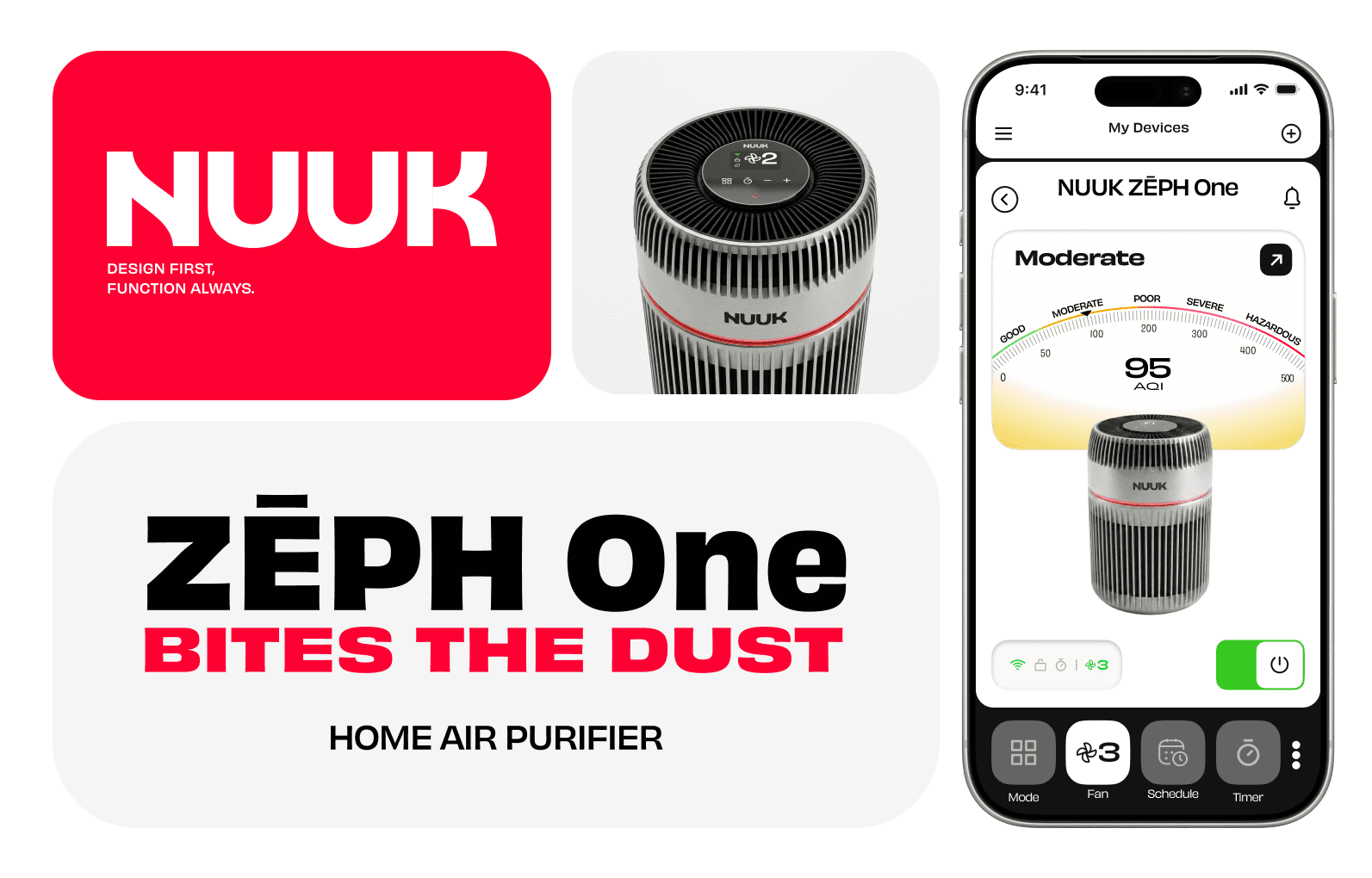
NUUK is an Indian smart home appliance brand built around the ethos "Design First, Function Always." The assignment was to design the smart control experience for a hypothetical air purifier — a new product that would live natively within their existing app, currently home to their smart oil heater.
Beyond the UI, I developed the product name ZEPH One — derived from Zephyr, meaning a soft gentle wind — after studying NUUK's existing product lineup and brand conventions. The tagline "Bites the Dust" pushed the personality further, giving the product a voice that felt bold and characterful while staying true to NUUK's ethos. The device renders were also created by me using Gemini, giving the case study a complete product feel rather than a purely screen-based submission.
THE PROBLEM
01
NUUK currently has one smart product — an oil heater — connected to their existing app. The air purifier was a hypothetical device with no existing UI, interaction patterns, or product identity to reference
02
The only reference material provided was screenshots and a silent screen recording of the heater experience — showing navigation, device controls, temperature settings, eco mode, and timers. From this I had to reverse-engineer the app's design language and interaction patterns before any design work could begin
03
The challenge was to design an experience that felt native to a real, live app — while building something entirely new within it
04
Air quality data (AQI, filter health, pollutant types) needed to be communicated to everyday Indian users in a way that felt useful rather than technical
05
The device itself had no name, no renders, and no brand story — all of which I developed from scratch alongside the UI
THE SOLUTION
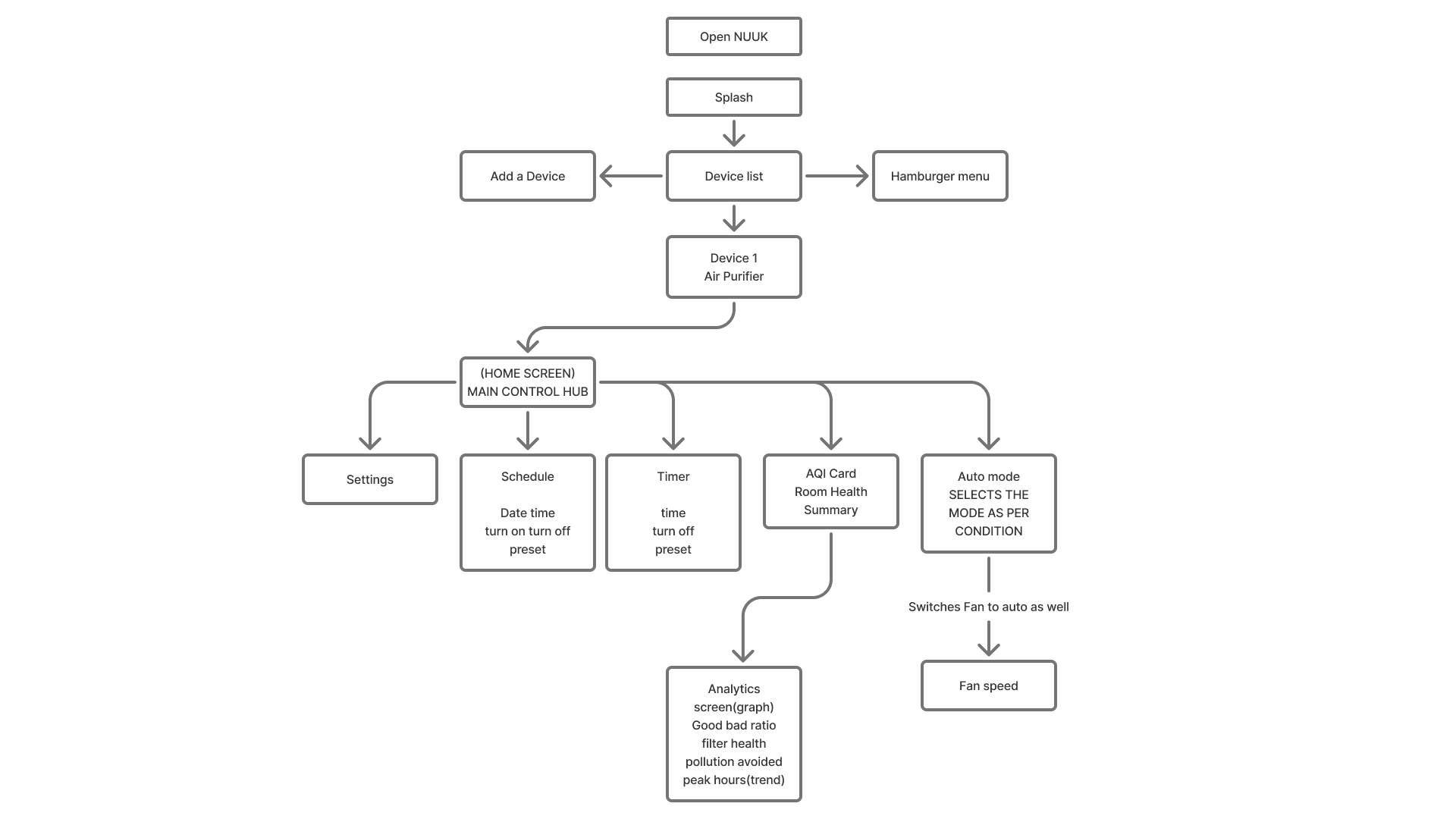
The app was structured around a clear user flow: Open App > Home > AQI > Fan Speed > Timer / Schedule > Settings. Each screen was designed with a specific mental model in mind.
Home Screen
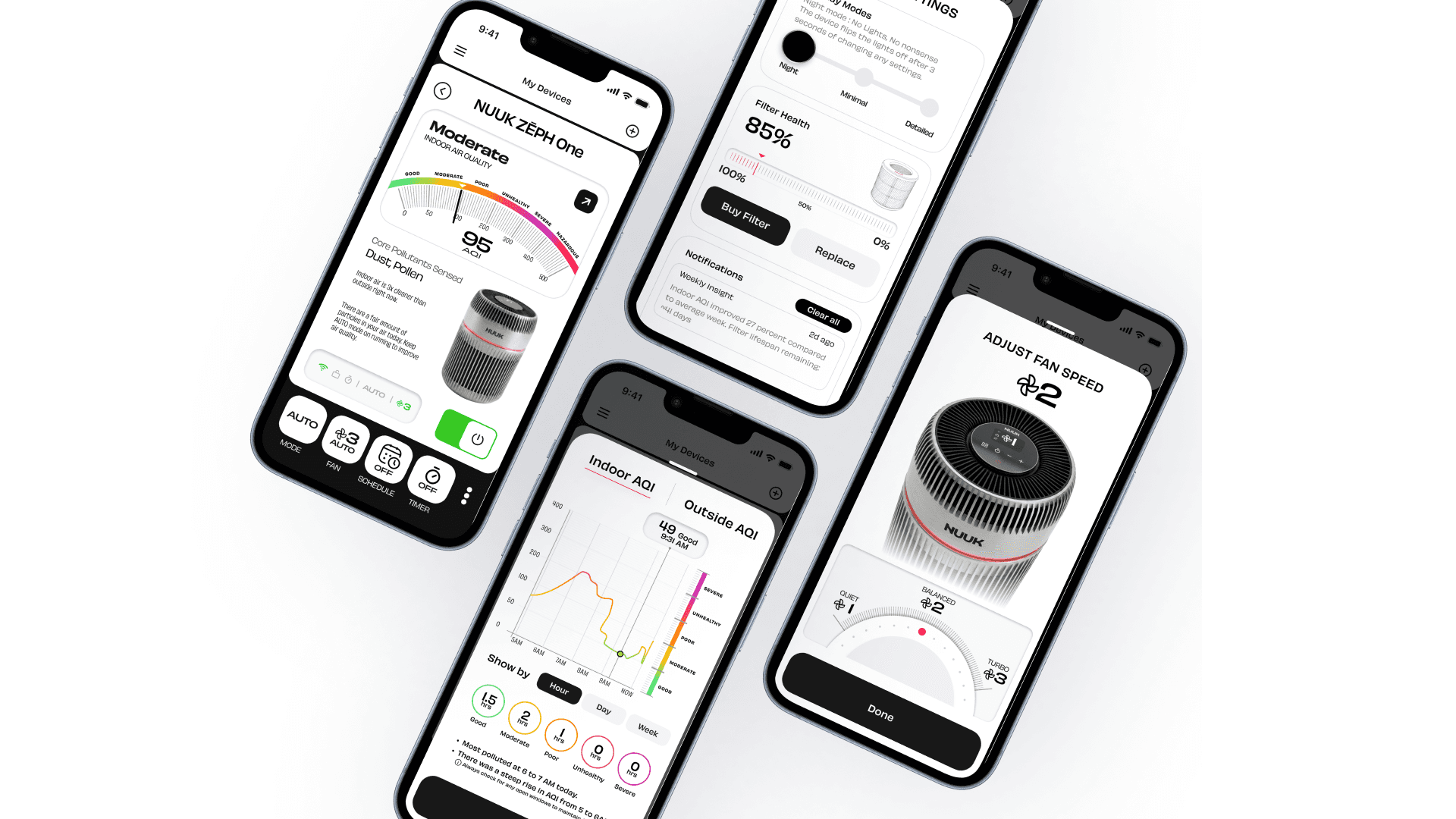
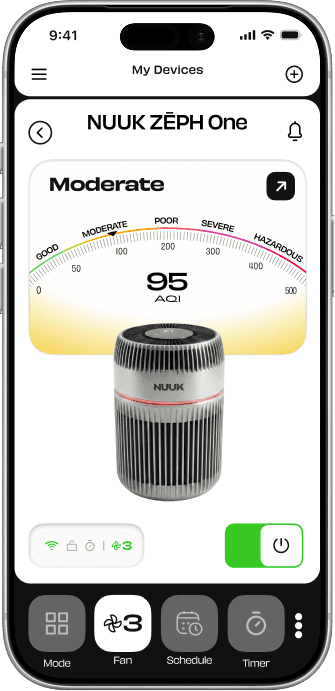
A split-screen layout with the AQI card and room health summary up top, and a persistent controls bar at the bottom. Pollutant labels were simplified from technical terms to plain language — Dust, Pollen, Smoke — to speak to a broader Indian audience. Alerts like filter replacement notices were surfaced proactively rather than buried in settings.
AQI Analytics
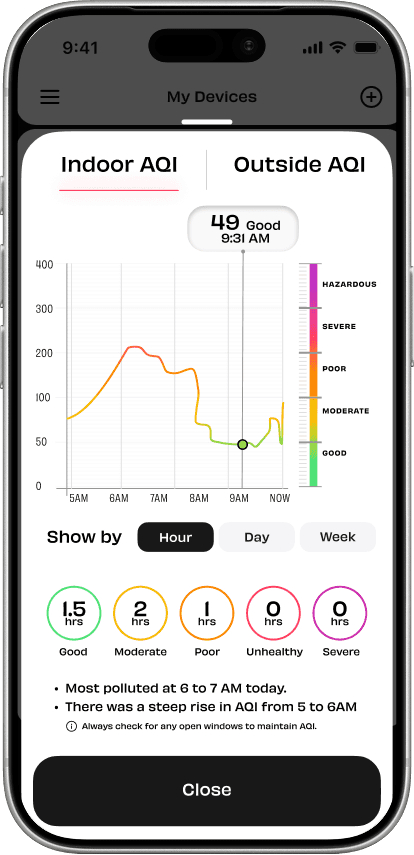
Triggered from the AQI card, this screen shows air quality trends by Hour, Day, or Week with an Indoor vs Outdoor comparison. Active feedback on peak pollution hours helps users decide when to run the device and at what intensity.
Fan Speed
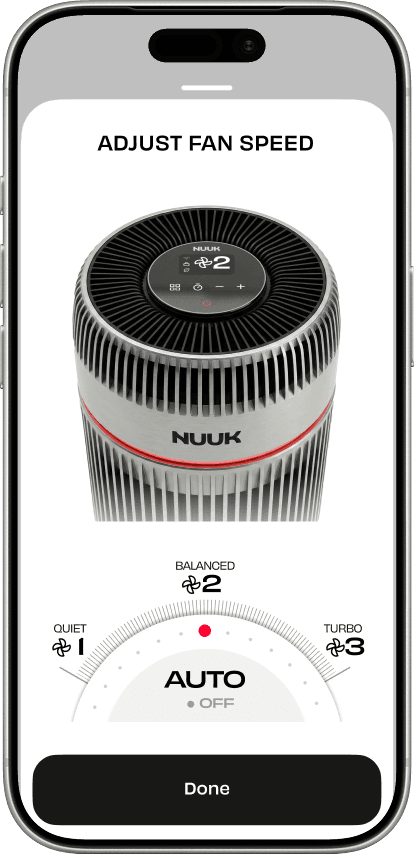
A tactile dial with three named speeds — Quiet, Balanced, Turbo — and an AUTO mode that lets the device adapt dynamically based on real-time triggers like cooking or smoke detection.
Schedule
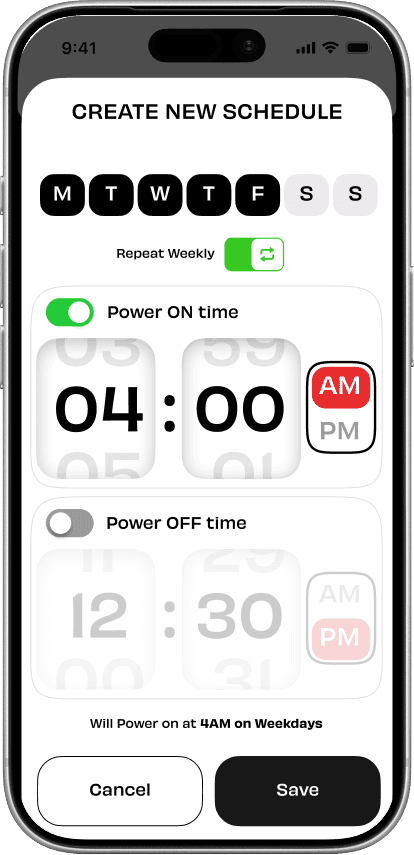
Multiple schedule support with Power ON and OFF time selectors, a day picker, and a weekly repeat toggle. A summary toast at the bottom gives users a final confirmation of how the schedule will run before saving.
Settings
Display modes (Night / Minimal / Detailed), Filter Health with Buy and Replace options, notification history with weekly air quality insights, and full device information.
Throughout, existing design patterns from the NUUK app — component shapes, bottom control buttons, typographic style — were preserved to maintain continuity. New elements were introduced only where they grew naturally from the system.
THE NEXT ITERATION
NUUK's feedback after the first review was that the home screen felt visually crowded. I addressed this in two ways: trimming supplementary text that didn't need to live on the main screen, and reducing the visual weight of inactive bottom bar controls by lowering their contrast. This created a clearer active vs inactive hierarchy without removing any functionality — the screen breathed more, and the eye went naturally to what mattered.
PERSONAL REFLECTION
Designing within an existing app that already had a strong, modern visual language was one of the trickier constraints I have worked with. The challenge wasn't just making screens look good — it was making new screens feel like they had always belonged there.
If I were to do this again, I would build a more expansive style guide upfront. Having that reference would have accelerated decision-making and given any future designer a clear foundation to build on.
The biggest thing I would do differently is run multiple iterations of each screen to stress-test the information architecture. Exploring different versions would have given me a clearer picture of what elements were truly necessary — and with more time, I would have paired that with lightweight user testing to understand how different people reacted to the UI rather than relying solely on my own judgement.
The brief also left ambiguity around feature scope — with no clarity on what could be removed, I defaulted to designing for everything. In hindsight that contributed to the crowding that was flagged. More time, or even a short round of user testing, would have led to a leaner and sharper final output.